
If Medsien's SSO function has been activated for your practice, the following guide can help you navigate that.
Single Sign On (SSO) will allow you to access your Medsien dashboard directly from Allscripts without having to remember a username or password.
To access Medsien's dashboard, follow the steps below:
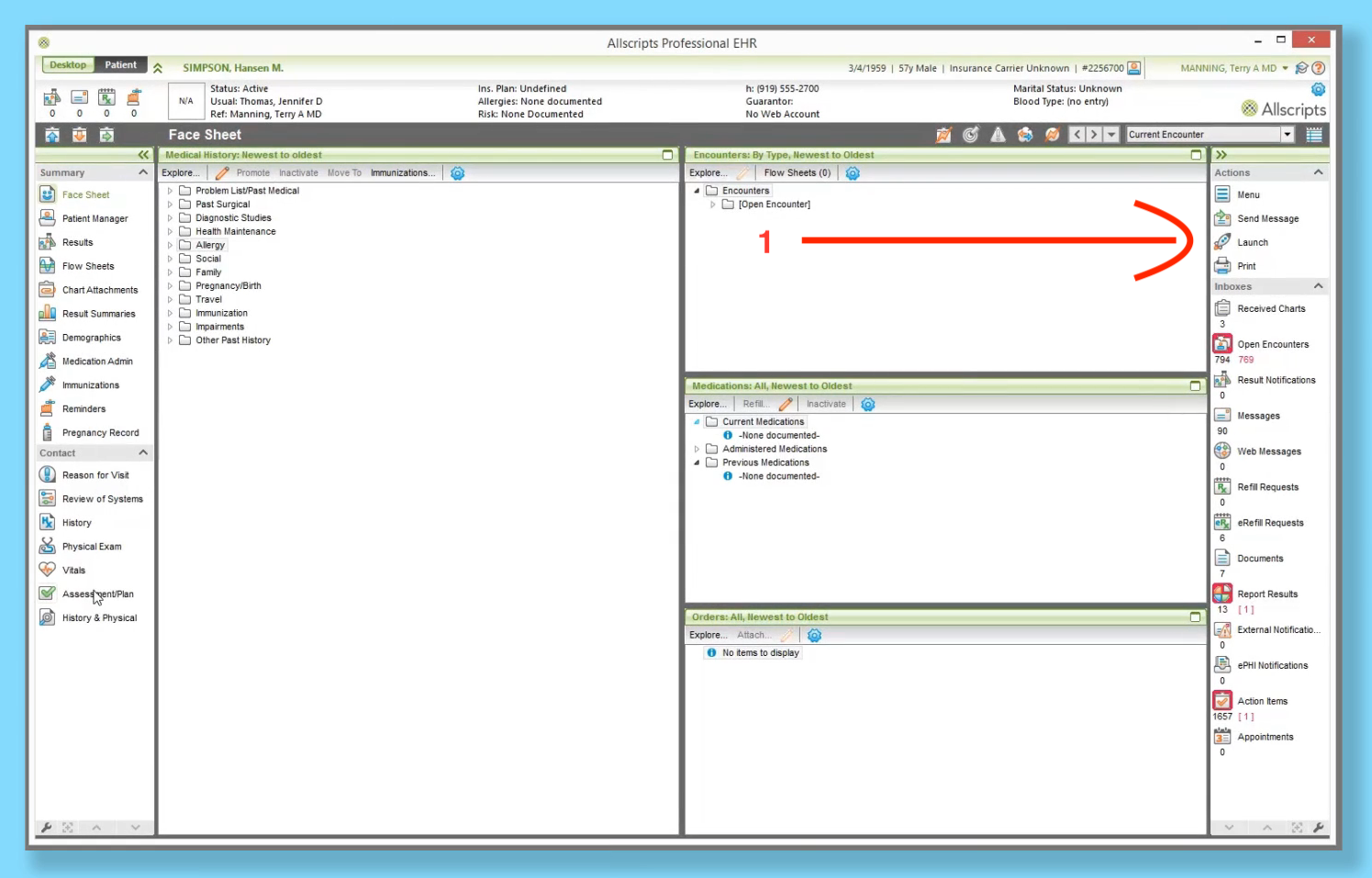
1. Click on Launch in the Actions menu on the right side of the screen
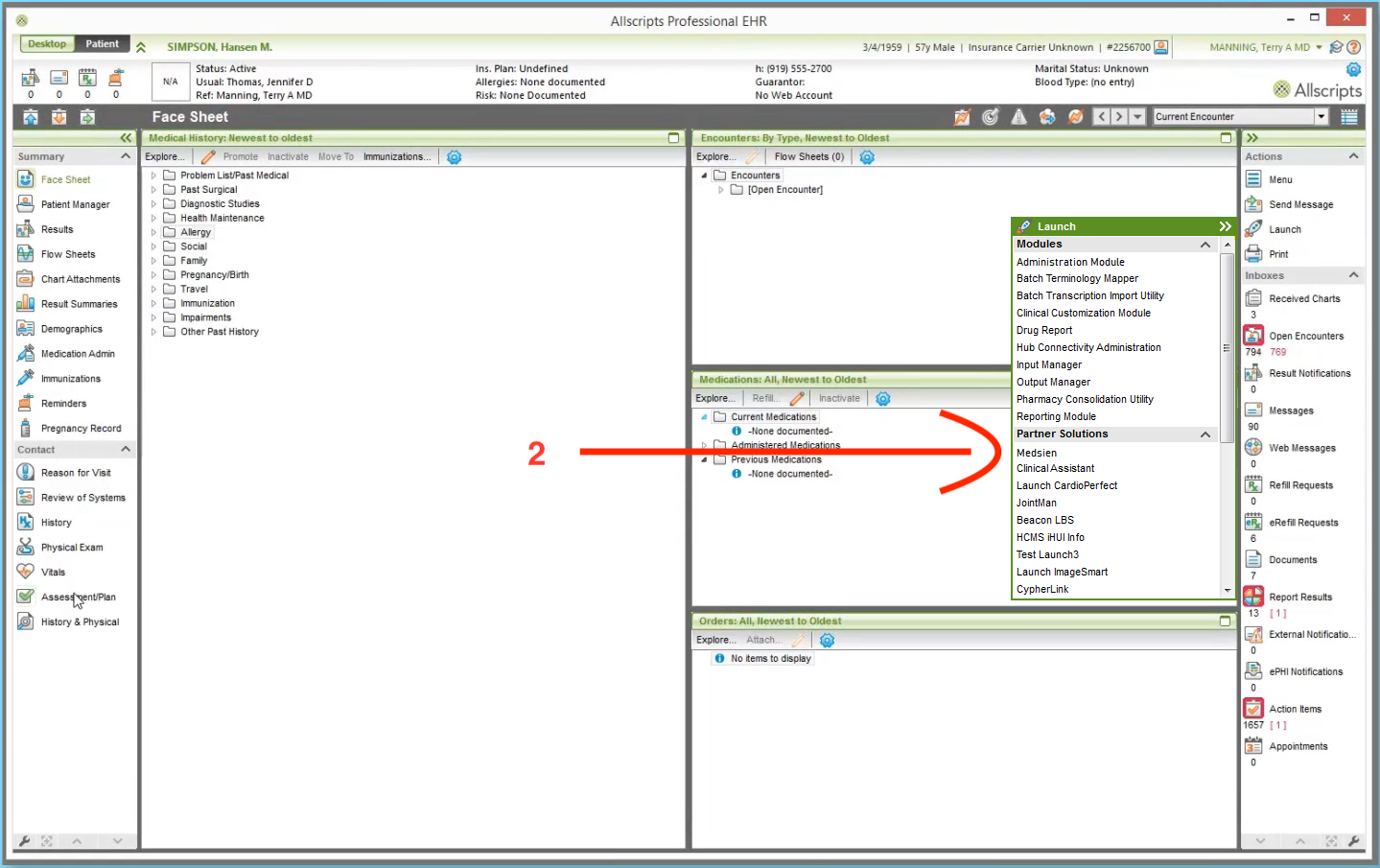
2. Click on Medsien under Partner Solutions in that menu
You will now be taken to the Medsien dashboard and logged in automatically with your Allscripts credentials.